Concept of Shell Scripting
A shell script is essentially a text file containing a sequence of commands that the Shell (the command-line interpreter) executes one by one. Instead of typing the same five commands every time, user put them in a script and run that single file.
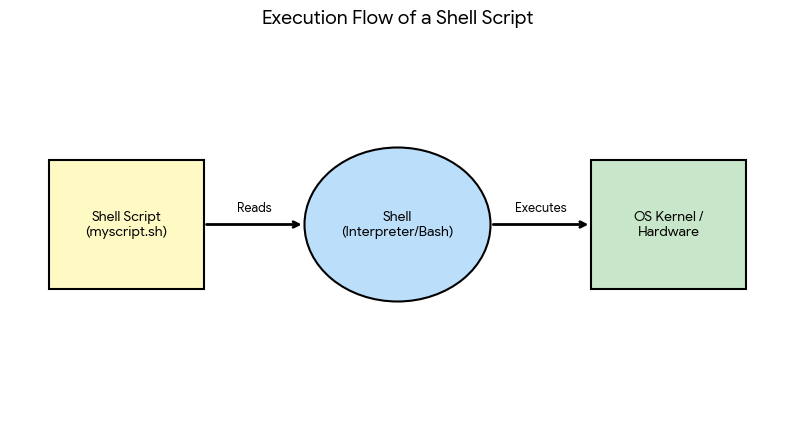
- The Script: A file (usually ending in
.sh) containing commands and logic (if/else, loops). - The Shell: A program (like Bash or Zsh) that reads the script.
- The Kernel: The core of the OS that carries out the hardware instructions requested by the shell.
What is a Shell Script?
A shell script is a text file containing a series of Linux commands that the shell (such as bash) executes one after another. It is used to automate repetitive tasks.
Writing and Running a Script
#!/bin/bash
# my first script
echo "Hello, $USER"
date
- Save the file as hello.sh.
- Give execute permission: chmod +x hello.sh
- Run it: ./hello.sh (or bash hello.sh).
- The first line #!/bin/bash (shebang) tells the system which shell to use.
- Lines starting with # are comments.
Variables and Input
name="Riya"
echo "Name is $name"
read age
echo "Age is $age"
There must be no spaces around = when assigning a variable. read takes input from the user.
Decision Making
if [ $age -ge 18 ]
then
  echo "Adult"
else
  echo "Minor"
fi
Comparison operators: -eq, -ne, -gt, -lt, -ge, -le.
Important Questions
Q. What is a shell script?
Ans. A shell script is a file containing a sequence of shell commands that are executed together to automate tasks.
Q. Which command gives execute permission to a script?
Ans. chmod +x filename.sh
Q. What is the purpose of #!/bin/bash?
Ans. It is the shebang line that tells Linux to run the script using the bash shell.