File system of Linux
The Linux file system follows a hierarchical tree structure, starting from a single root directory. Unlike Windows, which uses separate drive letters (C:, D:), everything in Linux—including hard drives, CD-ROMs, and USB sticks—is represented as a file or directory under the root.
The Hierarchical Tree Structure
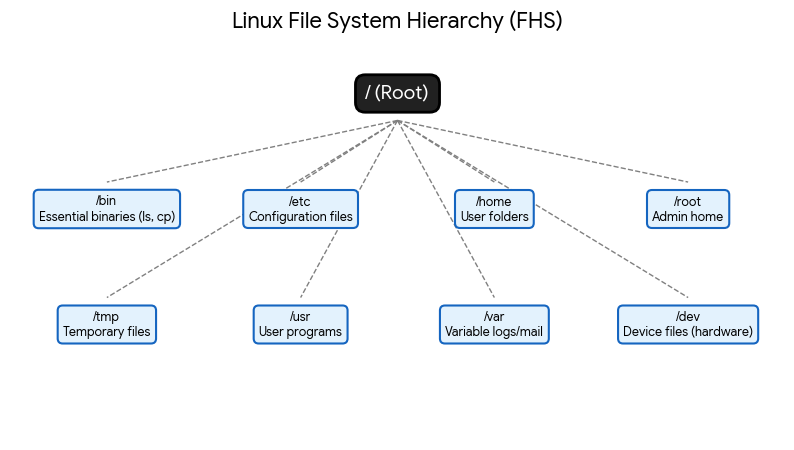
The diagram below shows the standard Filesystem Hierarchy Standard (FHS) used by almost all Linux distributions:
Key Directory Functions
/(Root): The starting point of the system./bin&/sbin: Essential command binaries needed for the system to boot and run (likels,cd, andreboot)./etc: The “control center.” It contains system-wide configuration files (e.g., network settings, user passwords)./home: Personal storage for users. If your username isjohn, your files are in/home/john./root: The home directory for the system administrator (Superuser). It’s separate from/home./dev: Contains “device files.” In Linux, hardware like your hard drive (/dev/sda) or mouse is treated as a file./tmp: A place for programs to store temporary files. These are usually deleted when the system reboots.