Disk concept in linux
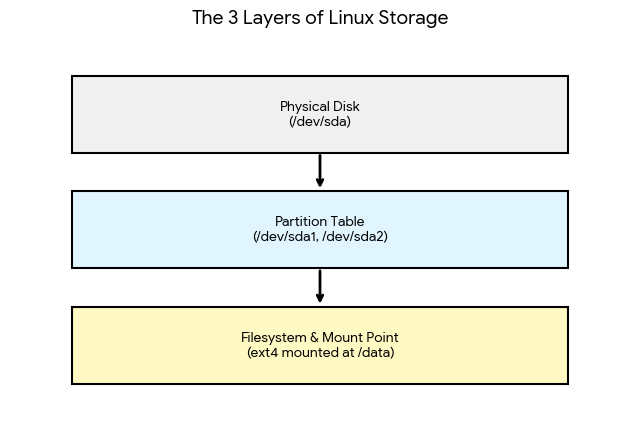
Managing disks in Linux involves moving from raw hardware to usable storage through a three-layer process: Physical Disks, Partitions, and Filesystems.
1. Basic Disk Concepts
- Block Devices: Linux treats disks as files. SCSI/SATA drives are usually named
/dev/sdX(e.g.,/dev/sda) - Partitions: Slicing a physical disk into logical sections. This allows you to isolate data (e.g., keeping the OS separate from user files). Common table types are GPT (modern) and MBR (legacy).
- Filesystems: The method used to store and retrieve data. Common types include ext4 (standard), XFS (high performance), and Btrfs (advanced features).
- Mount Points: In Linux, you don’t have “C:” or “D:” drives. Instead, you attach a filesystem to a directory (e.g.,
/mnt/data). This is called “mounting.”
2. How to Manage Disks (The Workflow)
To prepare a new disk for use, follow these four standard steps:
- Identify the Disk: Use
lsblkto see all connected disks and their current structure. - Create Partitions: Use
fdisk(for MBR) orgdisk(for GPT) to create a new partition.- Example:
sudo fdisk /dev/sdb
- Example:
- Format the Partition: Create a filesystem on the partition so it can hold data.
- Example:
sudo mkfs.ext4 /dev/sdb1
- Example:
- Mount the Disk: Connect the filesystem to the directory tree.
- Example:
sudo mount /dev/sdb1 /mnt/new_disk
- Example: