WHAT IS SHELL IN LINUX?
In Linux, a Shell is a command-line interpreter that acts as an interface between the user and the kernel.
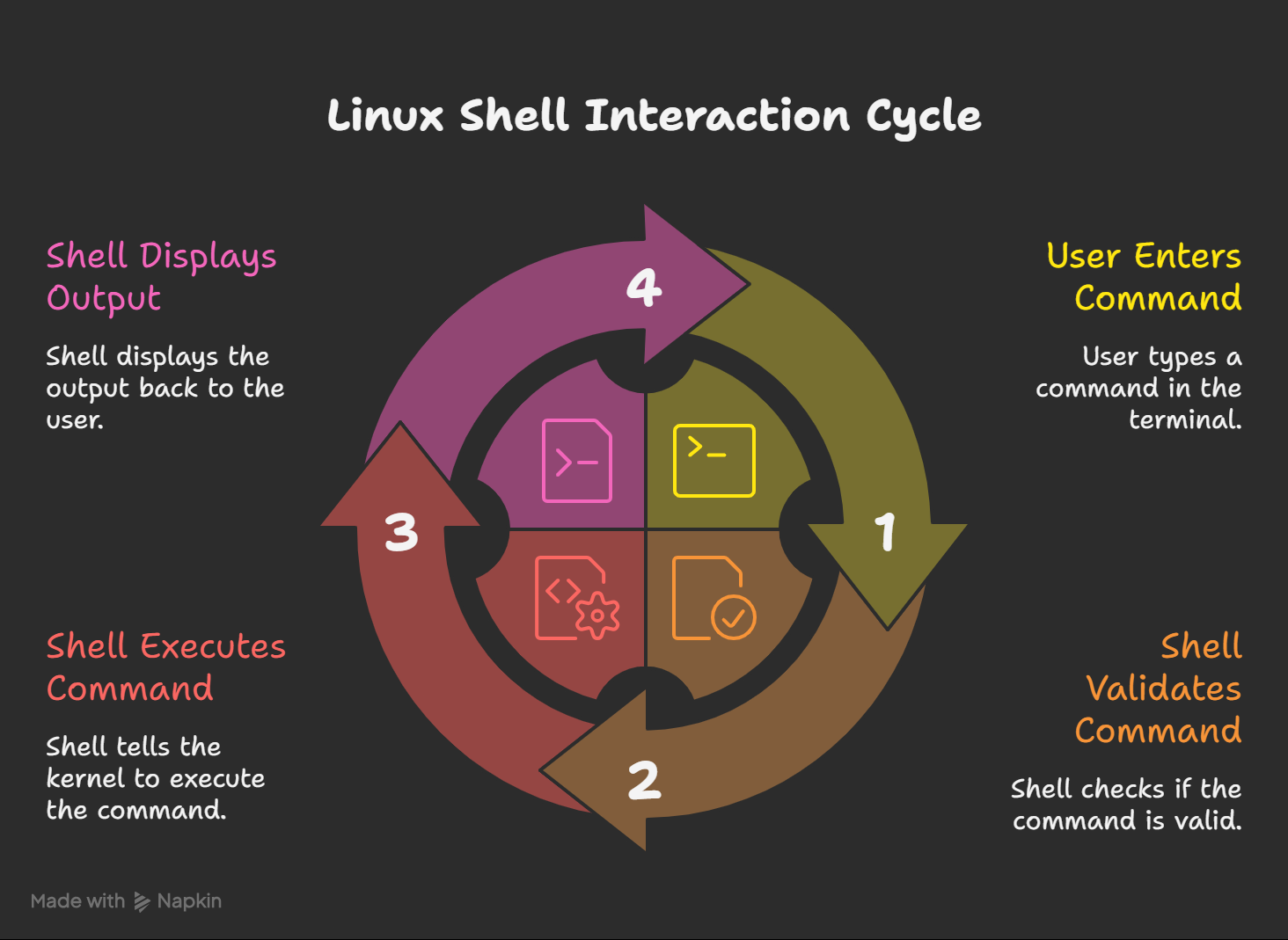
How it works
You type a command in the terminal.
The shell checks if the command is valid.
It tells the kernel to execute that command.
It displays the output back to you.

Various Types of Shells
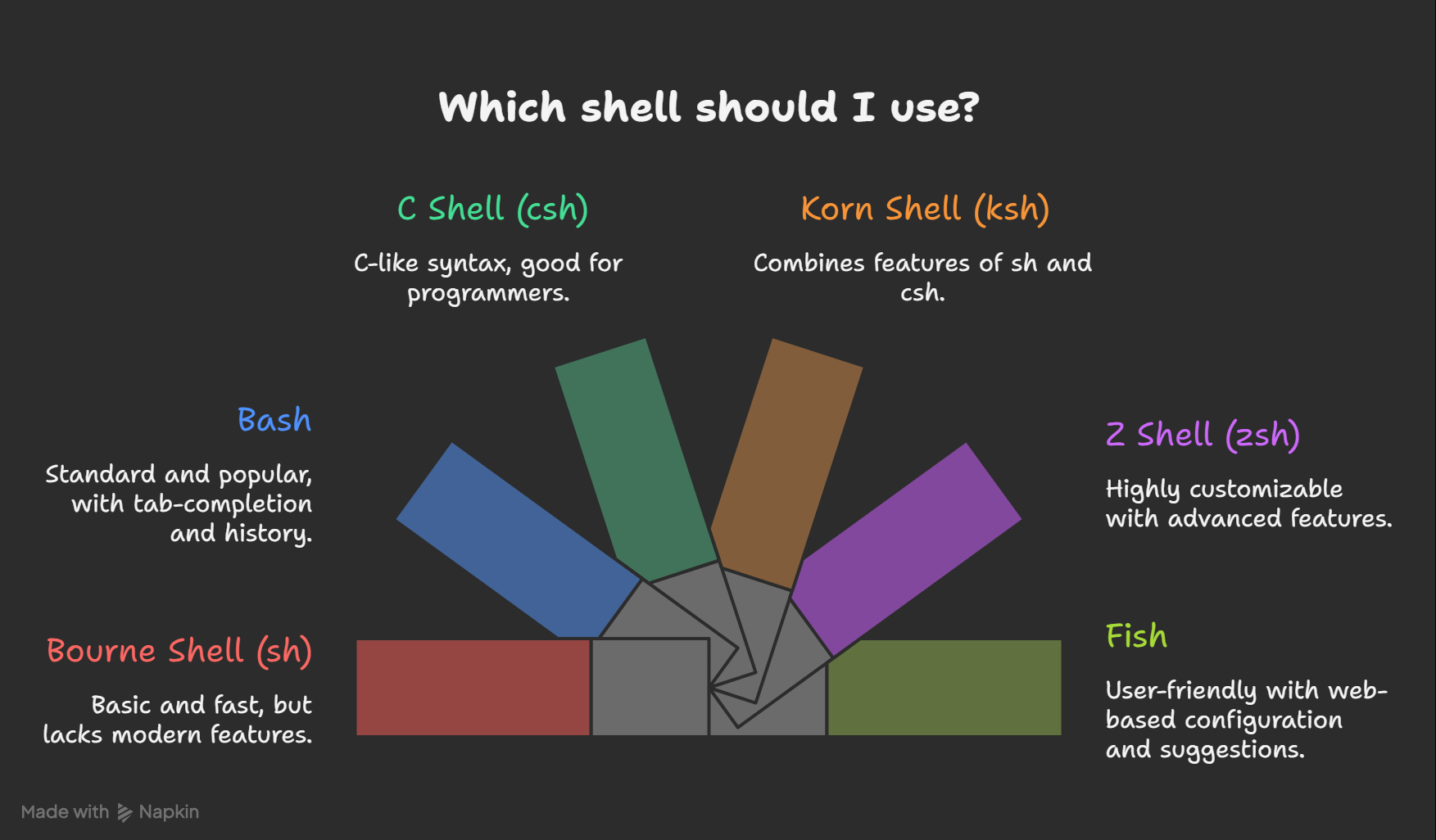
There are several types of shells, each with different features and syntax:
Bourne Shell (sh):
The original Unix shell.
It is basic and fast but lacks modern features like command history.
Bash (Bourne Again Shell):
The most popular and standard shell for most Linux distributions.
It is an improved version of sh with features like tab-completion and command history.
C Shell (csh):
Designed with a syntax that looks like the C programming language.
It was built to help programmers write scripts more easily.
Korn Shell (ksh):
A high-level shell that combines the best features of the Bourne shell and the C shell.
Z Shell (zsh):
A modern, highly customizable shell.
It includes advanced features like spelling correction and themes (popularized by “Oh My Zsh”).
Fish (Friendly Interactive Shell):
Focuses on user-friendliness with features like web-based configuration and automatic suggestions as you type.
Various Shell Commands
(a) User related commands:
Who: Who command list all users currently on system.Itssyntax is**:** $ who
Who am i: This command reports the username of the command user. Its syntax is: $ who am i
(b) File & Directory related commands:
Cd: This command is used for changing the directory. The syntax is: $ cd DirectoryName
Rmdir: This command is used for removing a directory. The syntax is: $ rmdir DirectoryName
Is: This command is used to display a list of files and directories in the current working directory. The syntax is: $ Is
Mkdir: This command is used for creating a new directory in Linuz. The syntax is: $ mkdir DirectoryName
Pwd: This command is used to find the directory in which user is currently working. The syntax is: $ pwd
Cp: This command is used to copy a file or a directory. The syntax is: $ cp file 1 file 2
(c) Some common commands are:
Echo: This command is used to display a message on the terminal window. The syntax is: $ echo message
Grep: This command is used to search the content in the given file. It prints the matching file. The syntax is: $ grep ‘String’ filename
Chmod: This command is used to change the access mode of one or more files. The syntax is: $ chmod {option} mode files
Find: This command is used to find the files in the hard drive. The syntax is: $ find /user/bin – type f – name “\*.txt”
Date: This command is used to display the current system date. The syntax is $ date
Sort: This command is used to print the lines of file in sorted order. The syntax is: $ sort FileName
Kill: This command is used for terminating the process. The syntax is: $ kill ProcessID
Netstat: This command is used to displays the network status. The syntax is: $ netstat
Logout: This command is used for logging out the Linux. The syntax is: $ logout