Computer memory is the electronic space used to store data and instructions that the CPU needs to perform tasks. It is broadly categorized based on its speed, cost, and volatility.
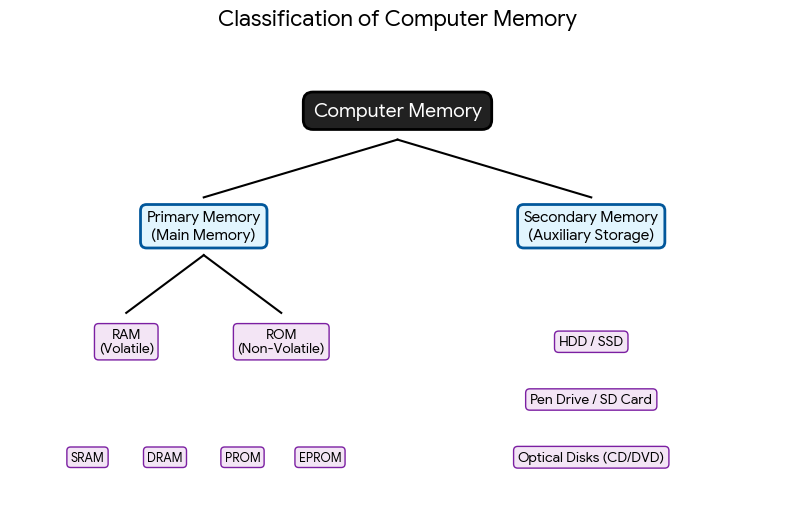
Memory Classification Diagram
The following chart breaks down the relationship between the different types of memory:
1. Primary Memory (Internal Memory)
This is the memory accessible directly by the CPU.
- RAM (Random Access Memory): Known as volatile memory because it loses its data when the power is turned off. It stores the operating system and apps while they are in use.
- SRAM (Static RAM): Faster and used for Cache.
- DRAM (Dynamic RAM): Cheaper and used for the main system memory.
- ROM (Read Only Memory): Non-volatile memory that keeps its data forever. It usually contains the “Bootstrap” code needed to start the computer.
2. Secondary Memory (External Memory)
This is used for permanent, long-term storage of data. It is much slower than primary memory but can hold massive amounts of information.
- Magnetic Storage: Hard Disk Drives (HDD).
- Flash Storage: Solid State Drives (SSD) and USB drives.
- Optical Storage: CDs, DVDs, and Blu-rays.
3. Cache Memory
A very small but incredibly fast memory type placed between the CPU and RAM. It stores frequently used instructions so the CPU doesn’t have to wait for the slower RAM.
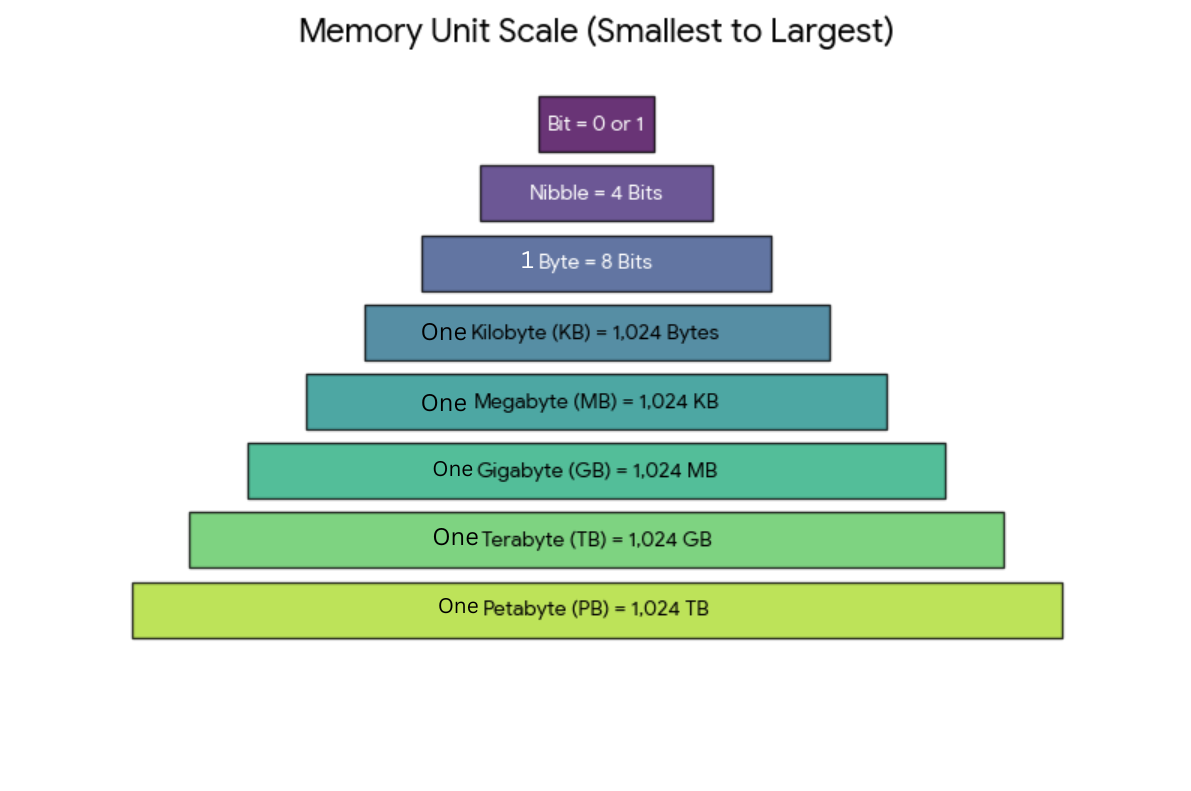
Memory Unit Hierarchy Diagram