Input Devices
Input devices are hardware components used to enter data, instructions, or commands into a computer. They allow users to interact with the computer and provide information for processing.
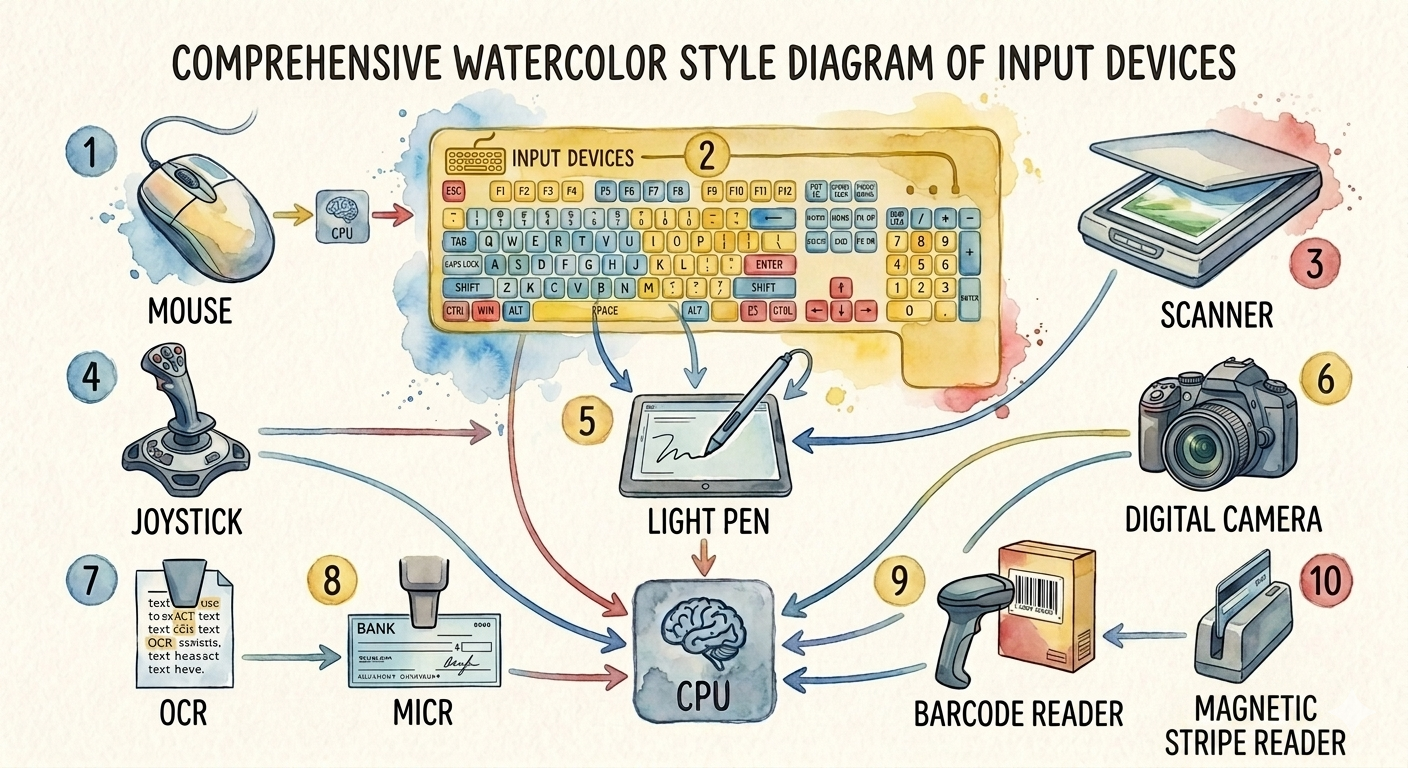
1. Mouse
A mouse is a pointing device used to control the movement of the cursor on the computer screen.
Main Parts
- Left Button
- Right Button
- Scroll Wheel
- Optical Sensor
Uses
- Pointing and selecting items
- Opening files and folders
- Dragging and dropping objects
- Scrolling web pages and documents
Advantages
- Easy to use
- Fast navigation
- Improves productivity
- Suitable for graphical applications
Disadvantages
- Requires a flat surface (except air mouse)
- Less effective for typing
- Can wear out with heavy use
2. Keyboard
A keyboard is the most commonly used input device for entering text, numbers, and commands.
Types of Keys
- Alphabet Keys (A–Z)
- Numeric Keys (0–9)
- Function Keys (F1–F12)
- Navigation Keys (Arrow Keys)
- Control Keys (Ctrl, Alt, Shift)
- Special Keys (Enter, Backspace, Esc)
Uses
- Typing documents
- Programming
- Data entry
- Giving commands
Advantages
- Fast text entry
- Accurate data input
- Durable
- Easy to learn
Disadvantages
- Requires typing skills
- Typing errors may occur
- Continuous use may cause finger fatigue
3. Scanner
A scanner converts printed documents and photographs into digital images.
Types
- Flatbed Scanner
- Handheld Scanner
- Sheet-fed Scanner
- Drum Scanner
Uses
- Digitizing documents
- Scanning photographs
- Archiving records
Advantages
- High-quality image capture
- Saves paper documents digitally
- Easy document sharing
Disadvantages
- Large files require storage
- Slower than taking photographs
- Quality depends on scanner resolution
4. Joystick
A joystick is a pointing device mainly used for controlling movement in games and simulations.
Uses
- Video games
- Flight simulators
- Robotics
- Industrial machine control
Advantages
- Precise directional control
- Comfortable for gaming
- Easy movement in multiple directions
Disadvantages
- Limited use outside gaming
- Requires practice
- Can be expensive
5. Light Pen
A light pen is a pen-shaped pointing device used to draw or select objects directly on the screen.
Uses
- Computer-aided design (CAD)
- Graphic designing
- Drawing applications
Advantages
- Direct interaction with the screen
- Accurate drawing
- Easy object selection
Disadvantages
- Works only with compatible displays
- Rarely used today
- Causes hand fatigue after long use
6. Digital Camera
A digital camera captures photographs and videos in digital form.
Uses
- Photography
- Video recording
- Online meetings
- Content creation
Advantages
- High-quality images
- Easy file transfer
- Instant preview
- Reusable storage
Disadvantages
- Battery dependent
- High-quality cameras are expensive
- Large image files require storage
7. OCR (Optical Character Recognition)
OCR is a technology that converts printed or handwritten text into editable digital text.
Uses
- Digitizing books
- Converting printed documents into editable files
- Automatic data entry
Advantages
- Saves typing time
- Improves productivity
- Editable digital documents
Disadvantages
- Errors with poor-quality documents
- Less accurate for handwritten text
- Requires clear scans
8. MICR (Magnetic Ink Character Recognition)
MICR reads characters printed with magnetic ink, mainly on bank cheques.
Uses
- Banking
- Cheque processing
- Financial institutions
Advantages
- High accuracy
- Fast cheque processing
- Difficult to forge
Disadvantages
- Requires special magnetic ink
- Expensive equipment
- Limited applications
9. Bar Code Reader
A bar code reader scans printed barcodes and converts them into digital information.
Uses
- Supermarkets
- Libraries
- Warehouses
- Inventory management
Advantages
- Fast scanning
- Accurate data entry
- Reduces human errors
- Saves time
Disadvantages
- Damaged barcodes cannot be read
- Requires printed barcodes
- Limited data storage in traditional barcodes
10. Magnetic Stripe Reader (MSR)
A Magnetic Stripe Reader reads information stored on the magnetic stripe of cards such as ATM, debit, credit, and identification cards.
Uses
- ATM transactions
- Credit and debit card payments
- Access control systems
- Hotel key cards
Advantages
- Fast card reading
- Easy to use
- Reliable for transactions
- Widely used
Disadvantages
- Magnetic stripes wear out over time
- Less secure than smart cards or chip cards
- Sensitive to scratches and magnetic damage