Basics of Computer System
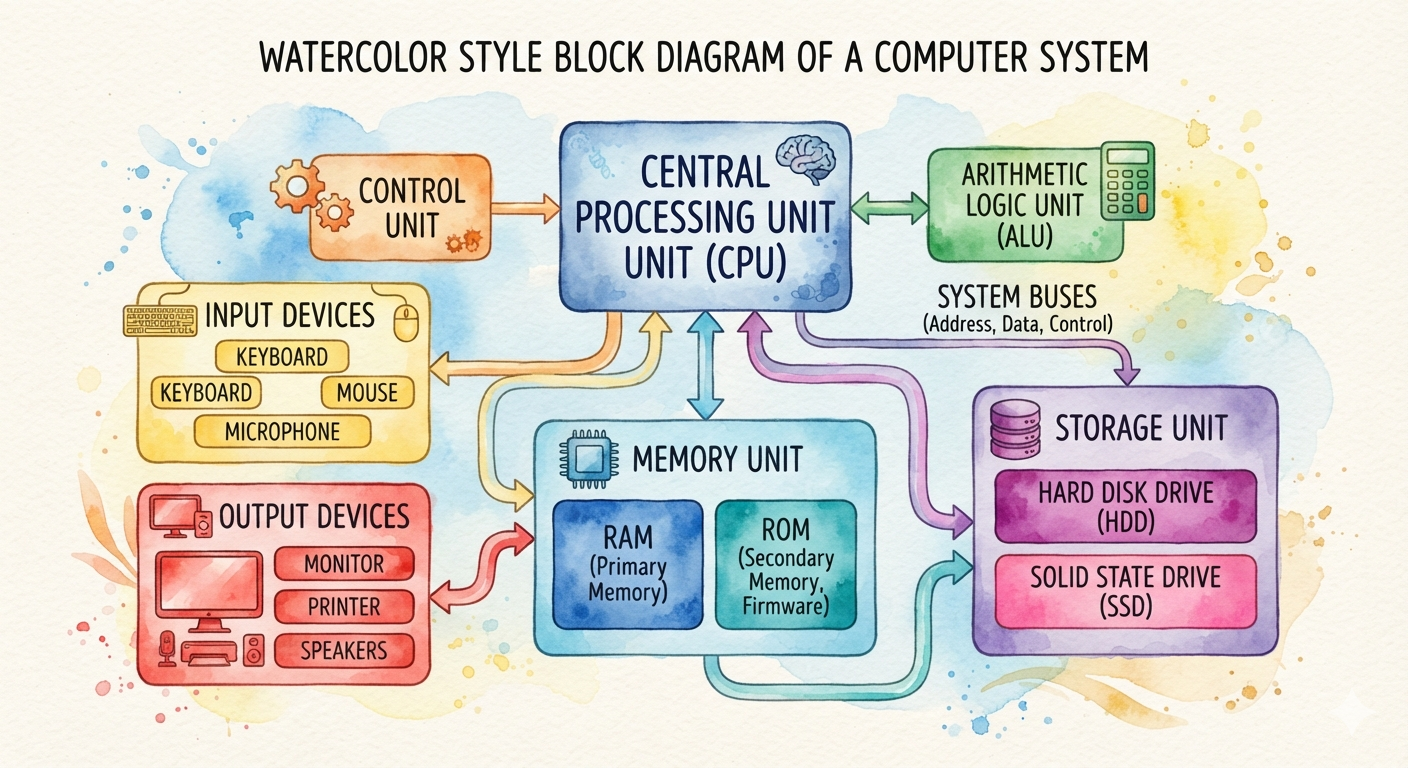
A computer is an electronic device that accepts data (input), processes it according to instructions, stores it, and produces useful information (output).
Characteristics of a Computer
| Characteristic | Explanation |
|---|---|
| Speed | Performs millions or billions of operations per second. |
| Accuracy | Gives accurate results if the input is correct. |
| Storage | Stores a large amount of data and information. |
| Automation | Works automatically once instructions are given. |
| Diligence | Does not become tired or bored after long hours of work. |
| Versatility | Can perform different kinds of tasks such as calculations, designing, gaming, and communication. |
| Reliability | Produces consistent and dependable results. |
Advantages
- Very fast processing
- High accuracy
- Large storage capacity
- Can perform repetitive tasks efficiently
- Saves time and effort
Disadvantages
- Cannot think or make decisions on its own
- Depends on electricity
- Requires proper instructions (programs)
- Can be affected by viruses and malware
- May lead to unemployment in some sectors due to automation
Basic Applications of Computers
1. Education
- Online learning
- Smart classrooms
- Preparing assignments
- Digital libraries
2. Business
- Accounting
- Payroll
- Inventory management
- Online banking
3. Healthcare
- Patient records
- Medical diagnosis
- Hospital management
4. Communication
- Video conferencing
- Social media
- Instant messaging
5. Entertainment
- Movies
- Music
- Games
- Animation
6. Science and Research
- Data analysis
- Weather forecasting
- Space research
7. Government
- Census
- Online services
- Tax management
- Record keeping
Components of a Computer System
1. CPU (Central Processing Unit)
The CPU is known as the brain of the computer. It processes data and controls all operations.
Parts of CPU
A. Control Unit (CU)
- Controls all operations.
- Directs data flow between memory and devices.
- Executes program instructions.
B. Arithmetic Logic Unit (ALU)
- Performs arithmetic operations (+, −, ×, ÷).
- Performs logical operations (AND, OR, NOT, comparisons).
C. Registers
- Very small and very fast memory inside the CPU.
- Temporarily stores data during processing.
Advantages of CPU
- High processing speed
- Efficient execution of instructions
- Accurate calculations
- Controls all computer functions
Disadvantages of CPU
- Generates heat
- Requires cooling
- Performance depends on processor speed and architecture
- High-performance CPUs are expensive
2. VDU (Visual Display Unit / Monitor)
A VDU (Monitor) displays the processed information on the screen.
Types of Monitors
- CRT
- LCD
- LED
- OLED
Advantages
- Displays clear visual information
- Easy to read documents and images
- Supports multimedia
- Modern LED monitors consume less power
Disadvantages
- Long usage may cause eye strain
- Can be damaged easily
- Larger screens are more expensive
3. Keyboard
A keyboard is an input device used to enter text, numbers, and commands into a computer.
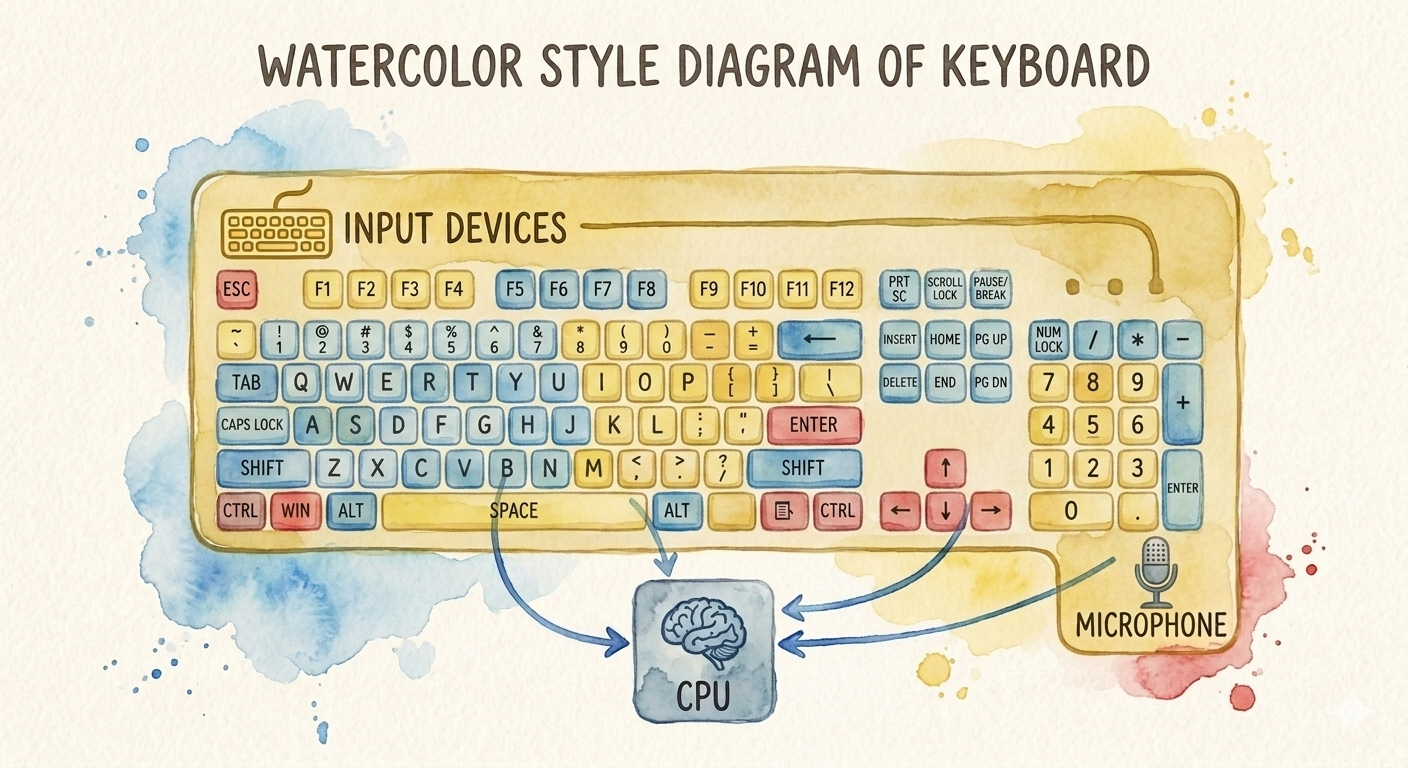
Types of Keys
- Alphabet keys
- Numeric keys
- Function keys (F1–F12)
- Control keys (Ctrl, Alt, Shift)
- Navigation keys (Arrow keys)
- Special keys (Enter, Backspace, Delete)
Advantages
- Fast text entry
- Easy to use
- Durable
- Essential for programming and office work
Disadvantages
- Typing errors are common
- Requires typing skills
- Can accumulate dust and dirt
- Continuous typing may cause finger fatigue