Computer Network
A computer network is a collection of two or more computers and other devices (such as printers, servers, and smartphones) that are connected to each other to share data, resources, and services.
Objectives of Networking
- Share files and information.
- Share hardware resources (printers, scanners, storage).
- Share software and applications.
- Enable communication through email, messaging, and video conferencing.
- Access the Internet.
Components of a Computer Network
- Computers/Devices – Clients, servers, laptops, smartphones.
- Network Interface Card (NIC) – Connects a device to the network.
- Transmission Media – Ethernet cables, fiber optic cables, or wireless signals.
- Networking Devices – Hub, Switch, Router, Modem, Access Point.
- Network Software – Operating systems and communication protocols.
Classification of Networking
Computer networks are classified according to the geographical area they cover.
1. LAN (Local Area Network)
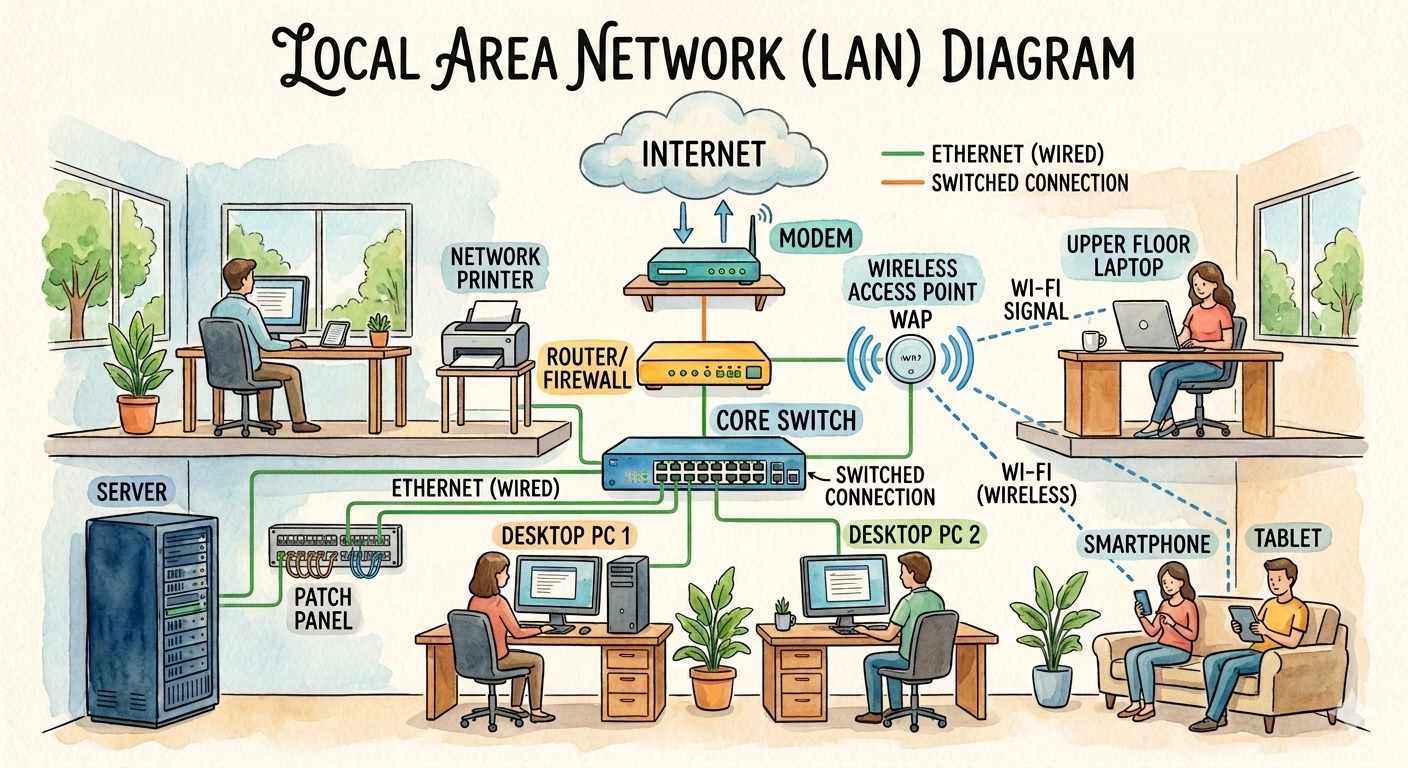
A Local Area Network (LAN) connects computers and devices within a small geographical area, such as a room, office, school, laboratory, or building.
Characteristics
- Covers a small area.
- High data transfer speed.
- Usually owned and managed by a single organization.
- Uses Ethernet cables or Wi-Fi.
Advantages
- Fast communication.
- Easy resource sharing.
- Low operating cost.
- High security because it is privately managed.
Disadvantages
- Limited coverage area.
- Requires network administration.
- Failure of central equipment can affect the network.
Applications
- Schools and colleges.
- Offices.
- Computer laboratories.
- Libraries.
2. MAN (Metropolitan Area Network)
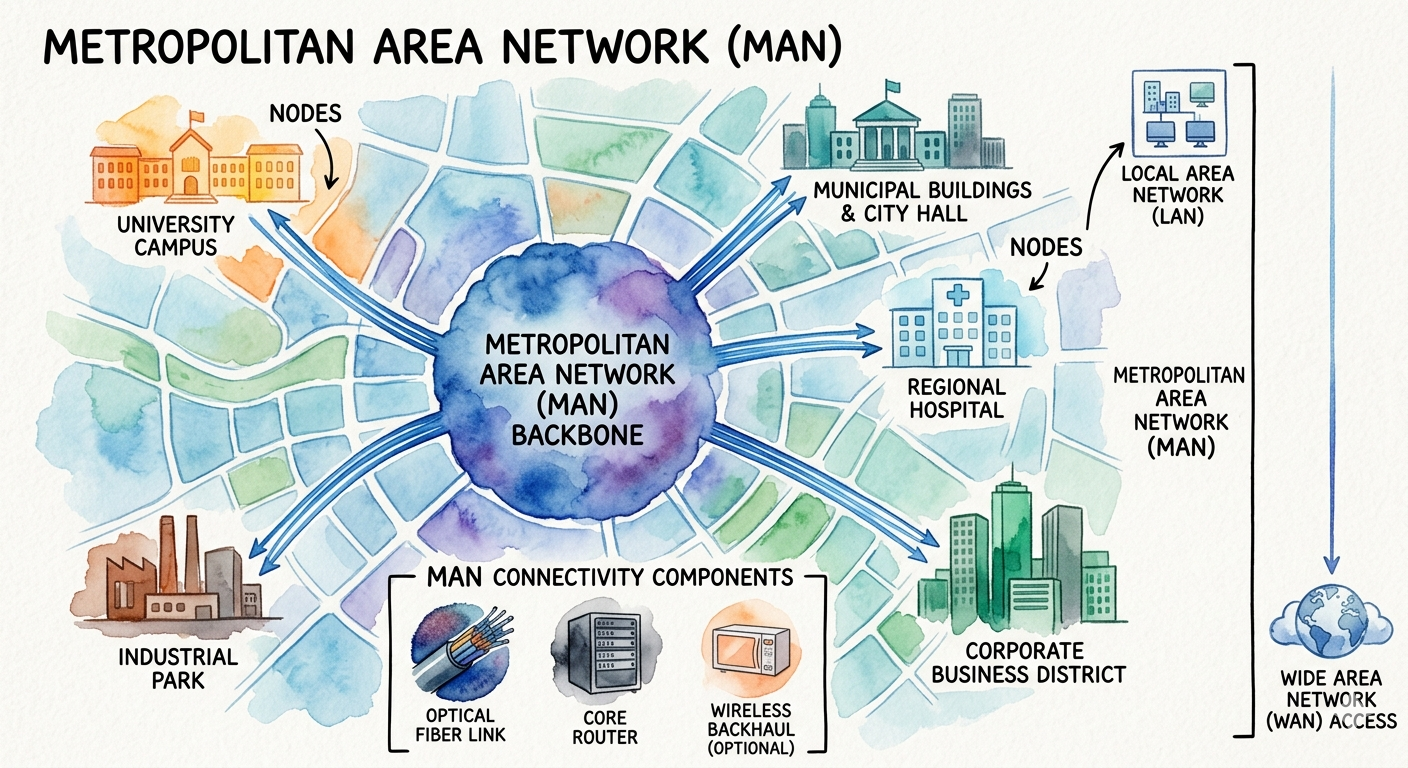
A Metropolitan Area Network (MAN) connects multiple LANs across a city or large campus.
Characteristics
- Covers several kilometers.
- Faster than WAN but slower than LAN.
- Often managed by government organizations or Internet Service Providers (ISPs).
Advantages
- Connects multiple offices across a city.
- Supports high-speed communication.
- Shares resources over a wider area.
Disadvantages
- Higher installation cost.
- More complex management.
- Requires specialized networking equipment.
3. WAN (Wide Area Network)
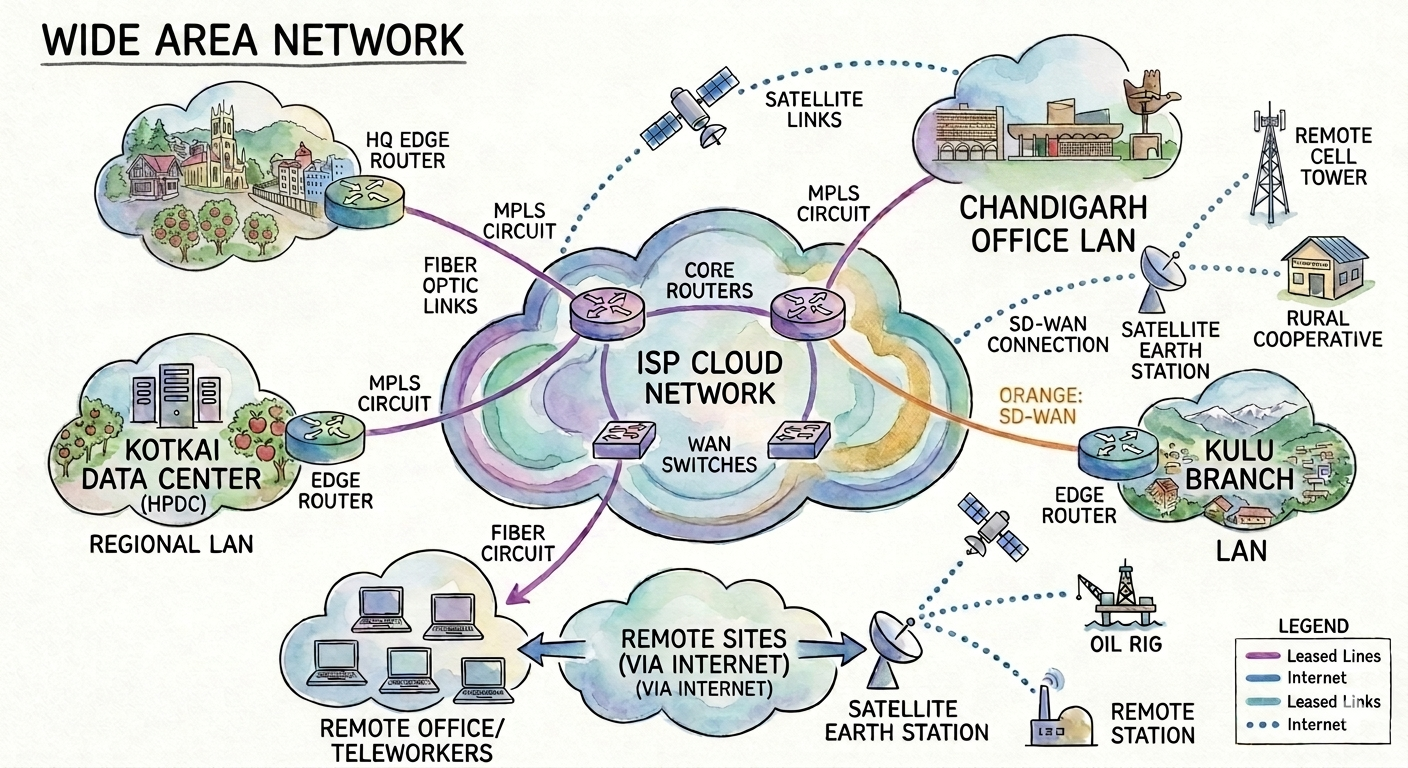
A Wide Area Network (WAN) connects computers and networks over large geographical areas, such as countries or continents. The Internet is the largest example of a WAN.
Characteristics
- Covers very large distances.
- Uses leased lines, fiber optics, satellites, or mobile networks.
- Connects many LANs and MANs.
Advantages
- Global communication.
- Supports remote work and online collaboration.
- Enables centralized data access.
- Connects branches across different locations.
Disadvantages
- Expensive to establish and maintain.
- Slower than LAN due to long distances.
- More security challenges.
4. PAN (Personal Area Network)
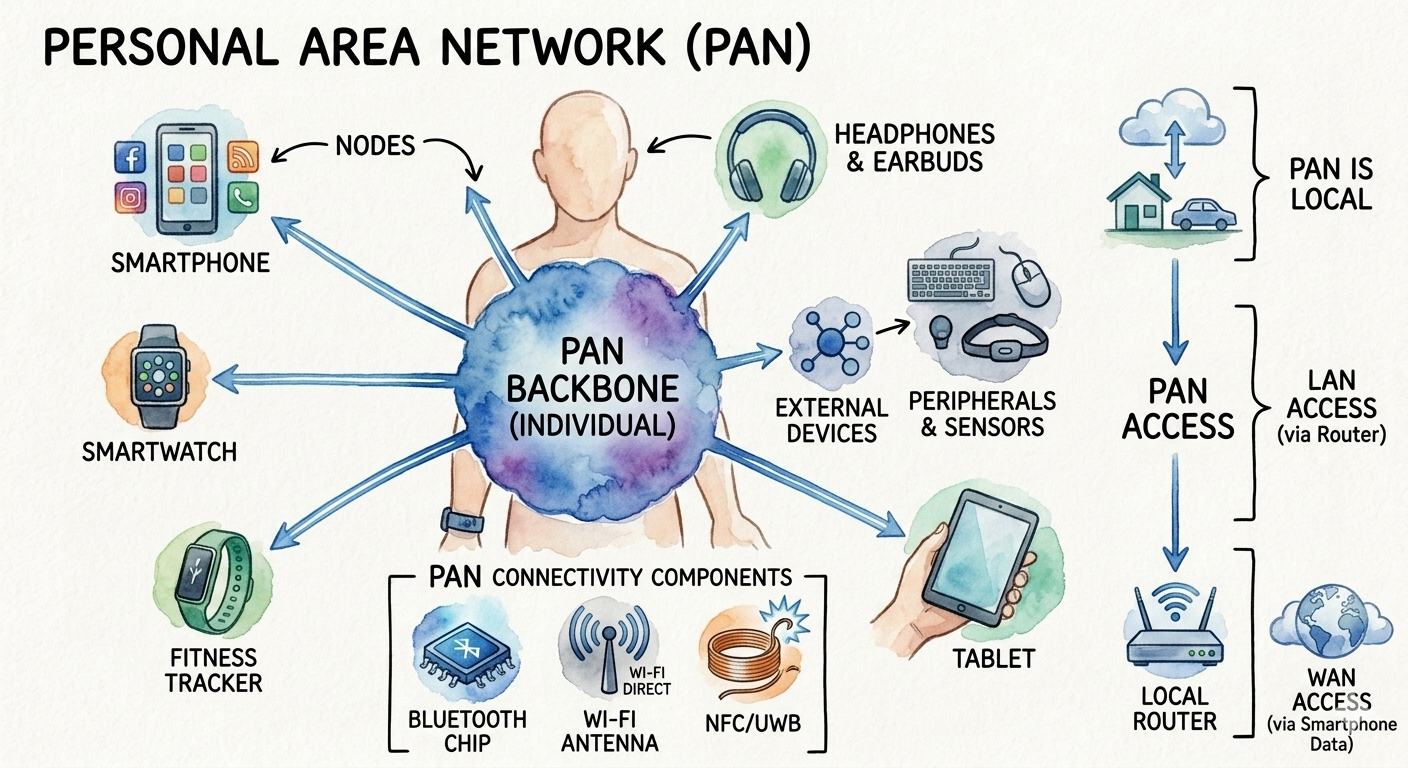
A Personal Area Network (PAN) is a network that connects devices within a person’s immediate surroundings, usually within about 10 meters.
Characteristics
- Very small coverage area.
- Uses Bluetooth, USB, or Wi-Fi Direct.
- Designed for personal devices.
Advantages
- Easy to set up.
- Low cost.
- Portable and convenient.
- Low power consumption.
Disadvantages
- Very limited range.
- Supports only a few devices.
- Lower speed than LAN for large data transfers.