Concept of Computer Memory
What is Computer Memory?
Computer memory is the storage area of a computer where data, instructions, and information are stored. It enables the computer to process data quickly and efficiently.
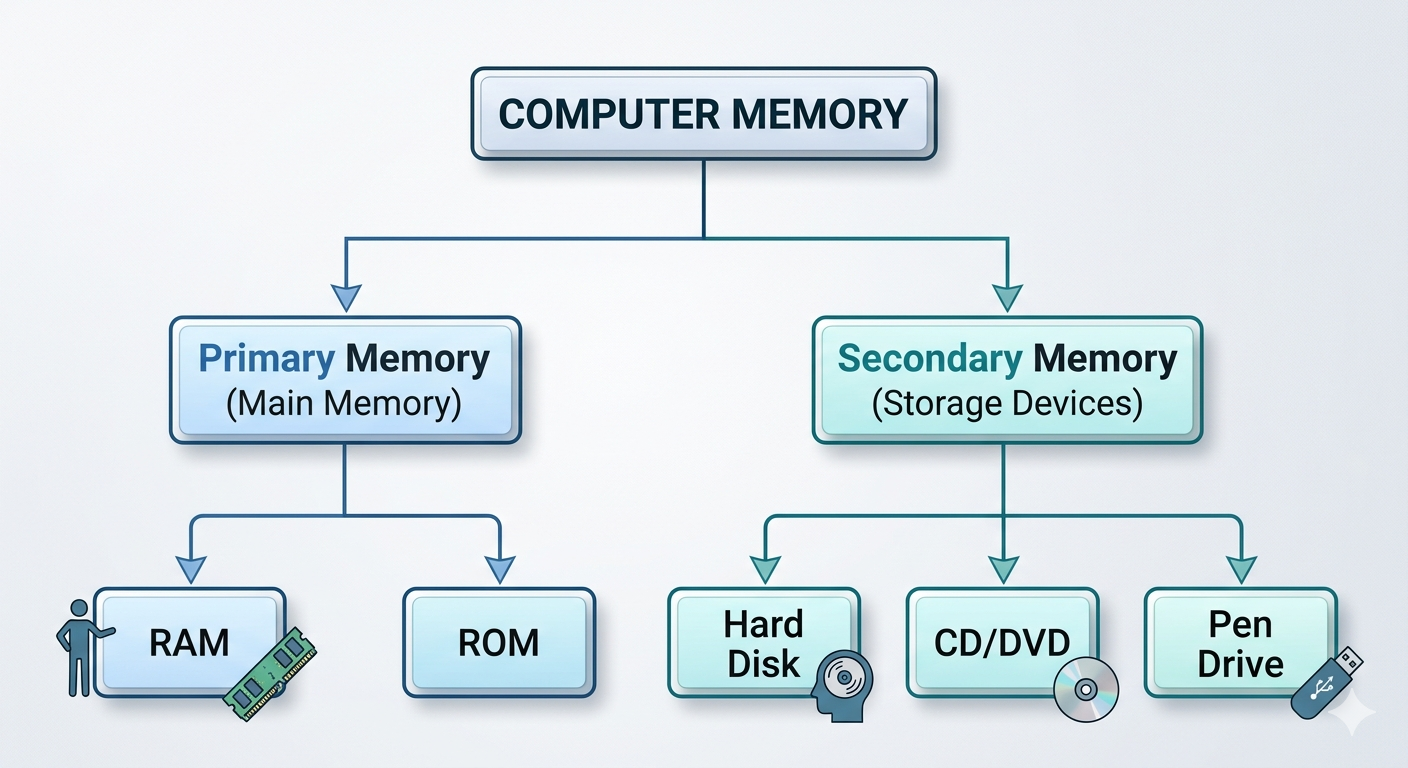
Computer memory is broadly classified into:
- Primary Memory (Main Memory)
- Secondary Memory (Storage Devices)
1. Primary Memory (Main Memory)
Primary memory is the memory directly accessed by the CPU. It stores data and instructions currently being processed.
Primary memory is of two types:
- RAM (Random Access Memory)
- ROM (Read Only Memory)
A. RAM (Random Access Memory)
RAM is a temporary (volatile) memory that stores data and programs currently in use. The data is lost when the computer is switched off.
Characteristics
- Temporary memory
- High speed
- Read and write memory
- Directly accessed by CPU
Types of RAM
1. SRAM (Static RAM)
- Faster memory
- Used as cache memory
2. DRAM (Dynamic RAM)
- Slower than SRAM
- Used as the main system memory
Advantages of RAM
- Very fast processing
- Improves computer performance
- Allows multiple programs to run simultaneously
- Easy access to stored data
Disadvantages of RAM
- Volatile (data is lost when power is off)
- More expensive than secondary storage
- Limited storage capacity
B. ROM (Read Only Memory)
ROM is permanent (non-volatile) memory that stores important instructions required to start the computer.
Characteristics
- Permanent memory
- Data remains after power is off
- Mostly read-only
- Stores BIOS/Firmware
Types of ROM
1. PROM (Programmable ROM)
- Can be programmed only once.
2. EPROM (Erasable Programmable ROM)
- Can be erased using ultraviolet light and reprogrammed.
3. EEPROM (Electrically Erasable Programmable ROM)
- Can be erased and rewritten electrically.
Advantages of ROM
- Permanent storage
- Non-volatile
- Reliable
- Stores startup instructions safely
Disadvantages of ROM
- Difficult to modify
- Slower than RAM
- Limited storage capacity
2. Secondary Memory (Storage Devices)
Secondary memory stores data permanently. It retains data even when the computer is switched off.
Examples:
- Hard Disk
- CD
- DVD
- Pen Drive
A. Hard Disk (HDD)
A Hard Disk is a magnetic storage device used to store operating systems, software, and user data permanently.
Capacity
- 500 GB
- 1 TB
- 2 TB
- 4 TB and above
Advantages
- Large storage capacity
- Permanent storage
- Low cost per GB
- Suitable for storing large files
Disadvantages
- Slower than SSD
- Mechanical parts may fail
- Sensitive to physical shocks
B. CD (Compact Disc)
A CD is an optical storage device that uses laser technology.
Storage Capacity
Approximately 700 MB
Types
- CD-ROM
- CD-R
- CD-RW
Advantages
- Inexpensive
- Portable
- Good for music and software distribution
Disadvantages
- Low storage capacity
- Easily scratched
- Becoming obsolete
C. DVD (Digital Versatile Disc)
A DVD is an optical storage medium with higher capacity than a CD.
Storage Capacity
- Single Layer: 4.7 GB
- Dual Layer: 8.5 GB
Types
- DVD-ROM
- DVD-R
- DVD-RW
Advantages
- Higher storage than CD
- Good for movies and software
- Reliable for backups
Disadvantages
- Can be scratched easily
- Slower than USB storage
- Less popular today
D. Pen Drive (USB Flash Drive)
A Pen Drive is a portable flash memory device connected through a USB port.
Capacity
- 4 GB
- 8 GB
- 16 GB
- 32 GB
- 64 GB
- 128 GB
- 256 GB and more
Advantages
- Small and lightweight
- Portable
- Fast data transfer
- Reusable
- No moving parts
Disadvantages
- Easy to lose
- Can be infected by viruses
- Limited write cycles
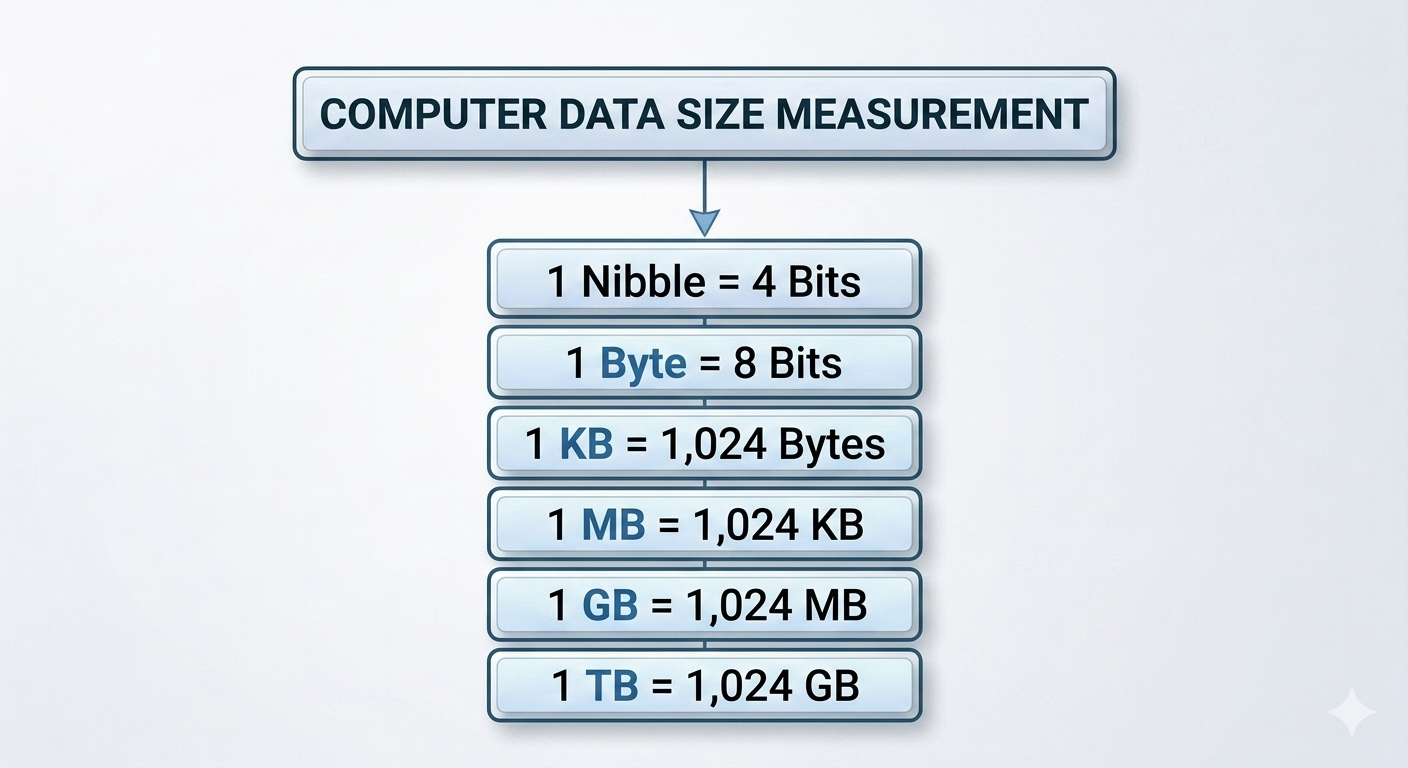
Units of Computer Memory
Computer memory is measured in different units.
| Unit | Description |
|---|---|
| Bit (b) | Smallest unit of data (0 or 1) |
| Nibble | 4 bits |
| Byte (B) | 8 bits |
| Kilobyte (KB) | 1,024 Bytes |
| Megabyte (MB) | 1,024 KB |
| Gigabyte (GB) | 1,024 MB |
| Terabyte (TB) | 1,024 GB |