Output Devices
What are Output Devices?
Output devices are hardware components that receive processed data from the computer and present it to the user in a human-readable form such as text, images, sound, or video.
1. Monitor (VDU – Visual Display Unit)
A Monitor or VDU (Visual Display Unit) is the most common output device. It displays text, graphics, videos, and other information generated by the computer.
Advantages of Monitor
- Displays information clearly
- Supports multimedia applications
- Easy to read documents
- High-resolution displays improve user experience
Disadvantages of Monitor
- Eye strain after prolonged use
- Requires electricity
- Can be expensive for larger displays
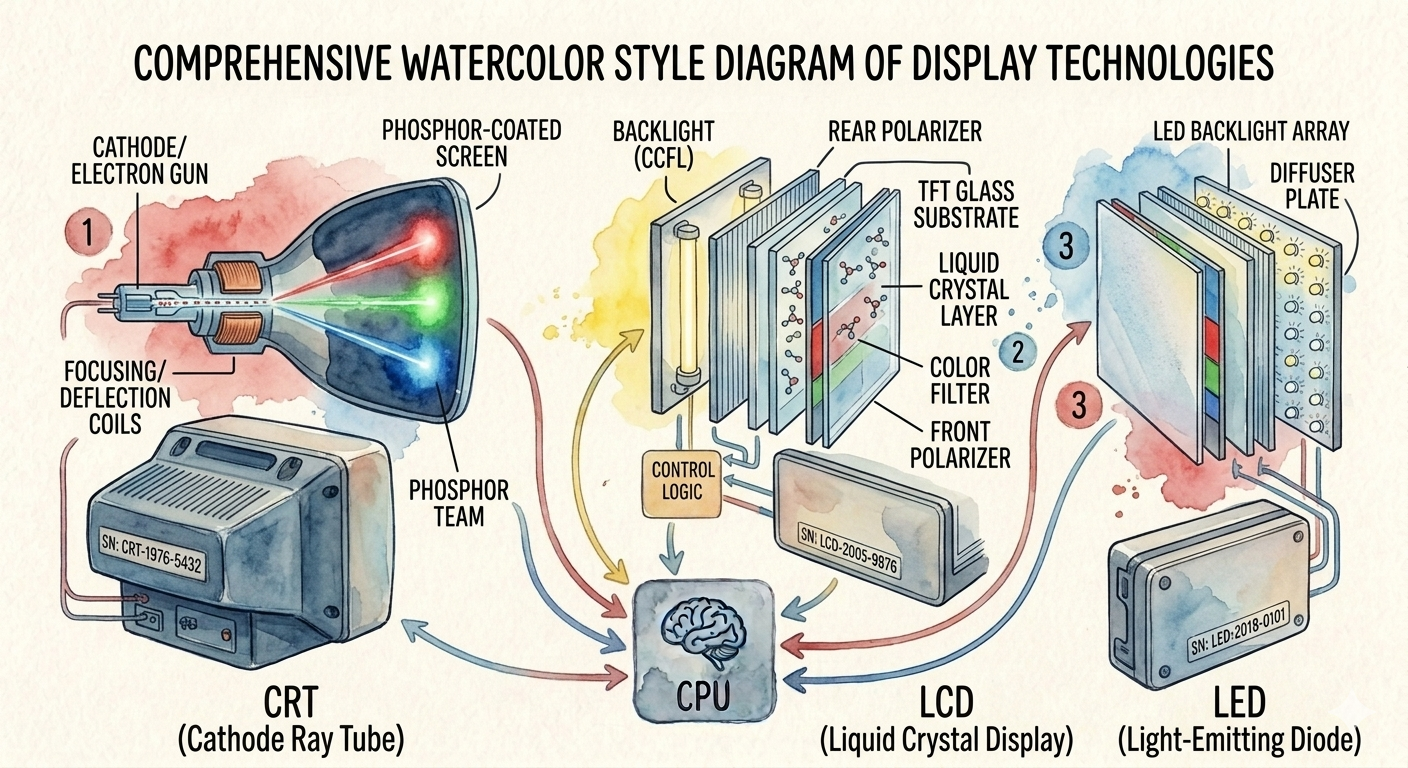
Types of Monitor
A. CRT (Cathode Ray Tube)
- Old technology using an electron beam.
- Bulky and heavy.
Advantages
- Good color quality
- Low cost
Disadvantages
- Heavy and bulky
- High power consumption
- Produces heat
B. LCD (Liquid Crystal Display)
- Uses liquid crystals to display images.
- Thin and lightweight.
Advantages
- Less power consumption
- Lightweight
- Good picture quality
Disadvantages
- Limited viewing angles
- Higher cost than CRT
C. LED (Light Emitting Diode)
- An improved version of LCD using LED backlighting.
Advantages
- Excellent brightness
- Energy efficient
- Long lifespan
- Thin design
Disadvantages
- More expensive than LCD
- Screen replacement is costly
2. Printer
A Printer is an output device that produces a hard copy of digital documents on paper.
Advantages of Printer
- Produces permanent hard copies
- High-quality document printing
- Useful for offices and schools
Disadvantages of Printer
- Requires paper and ink/toner
- Maintenance cost
- Consumes space
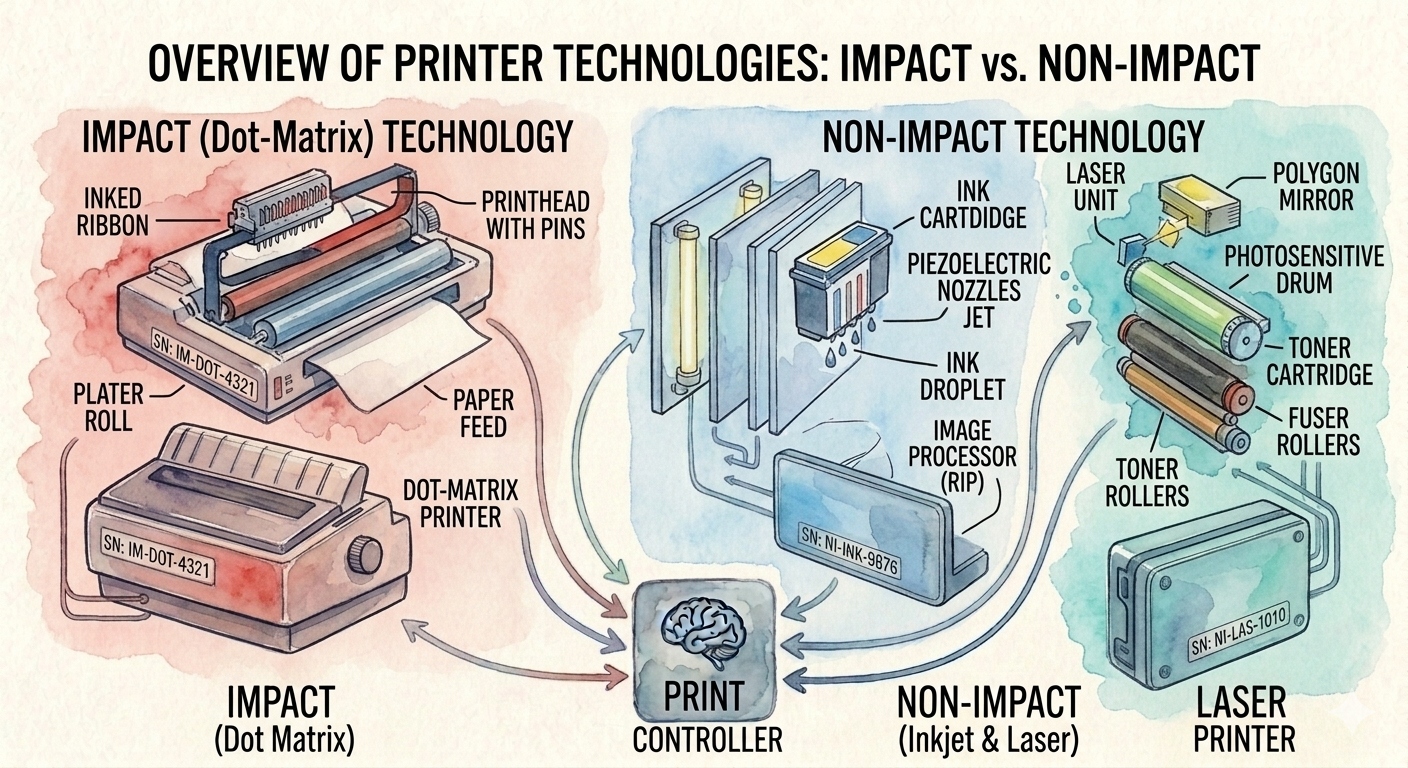
Types of Printer
A. Impact Printer
Impact printers print by striking an ink ribbon against paper.
i. Dot Matrix Printer
- Uses tiny pins to create characters.
Advantages
- Low printing cost
- Can print multi-part forms
- Durable
Disadvantages
- Noisy
- Low print quality
- Slow printing
ii. Daisy Wheel Printer
- Uses a wheel with embossed characters.
Advantages
- Letter-quality printing
- Reliable
Disadvantages
- Very slow
- Cannot print graphics
- Noisy
B. Non-Impact Printer
These printers do not strike the paper.
i. Inkjet Printer
- Sprays tiny droplets of ink onto paper.
Advantages
- High-quality color printing
- Affordable
- Quiet operation
Disadvantages
- Ink cartridges are expensive
- Slower than laser printers
ii. Laser Printer
- Uses laser technology and toner.
Advantages
- Very fast printing
- Excellent print quality
- Low cost per page
Disadvantages
- Higher initial cost
- Toner replacement is expensive
iii. Thermal Printer
- Uses heat-sensitive paper.
Advantages
- Silent operation
- Fast printing
- Low maintenance
Disadvantages
- Requires thermal paper
- Prints fade over time
3. Plotter
A Plotter is a specialized output device used for printing large, high-precision drawings and graphics.
Advantages of Plotter
- Extremely accurate
- Prints large-size documents
- High-quality graphics
Disadvantages of Plotter
- Expensive
- Requires more space
- Slower than regular printers
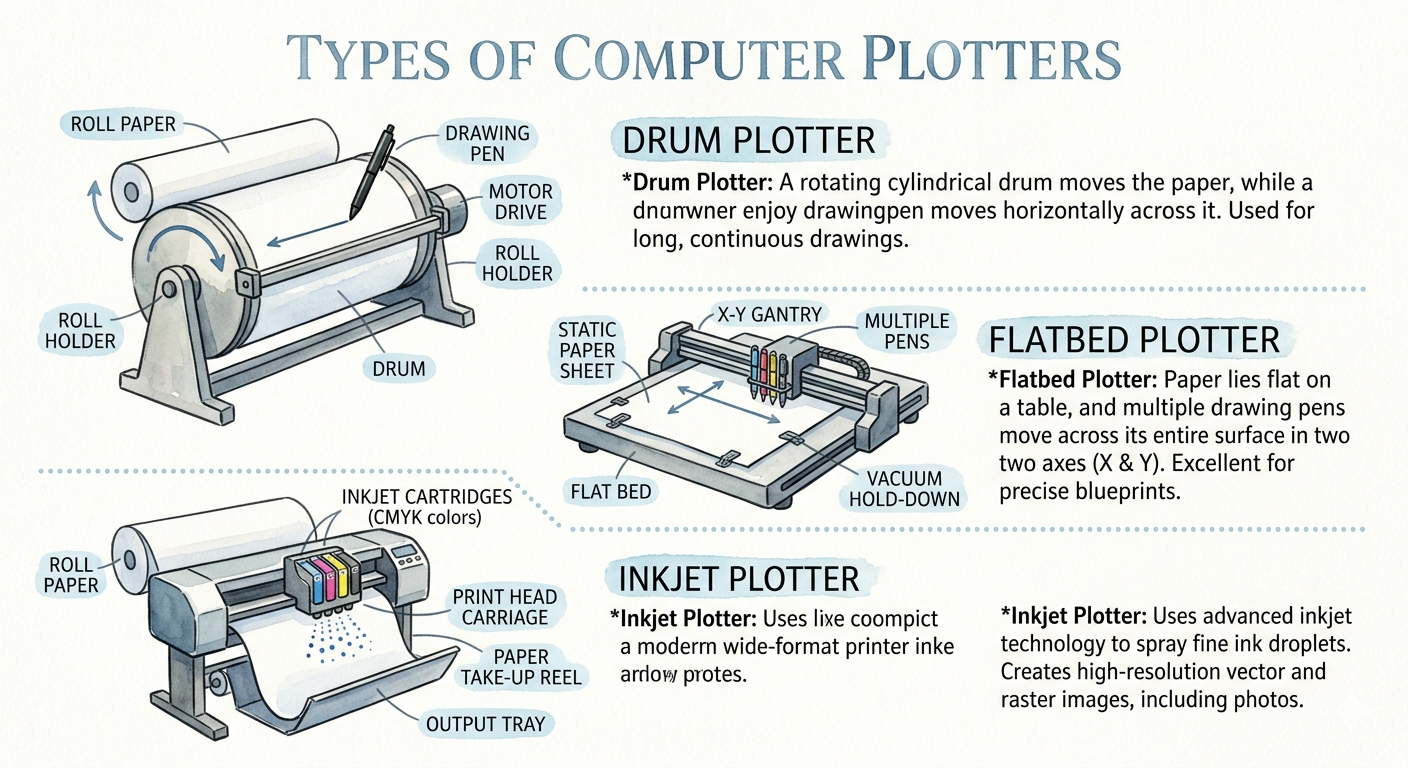
Types of Plotter
A. Drum Plotter
- Paper is wrapped around a rotating drum.
Advantages
- High accuracy
- Suitable for large drawings
Disadvantages
- Large and expensive
- Slower than modern plotters
B. Flatbed Plotter
- Paper remains fixed while the pen moves.
Advantages
- Very accurate
- Can print on large sheets
Disadvantages
- Occupies more space
- Expensive
C. Inkjet Plotter
- Uses inkjet technology for large-format printing.
Advantages
- High-quality color printing
- Faster than pen plotters
Disadvantages
- Ink is expensive
- Requires regular maintenance